
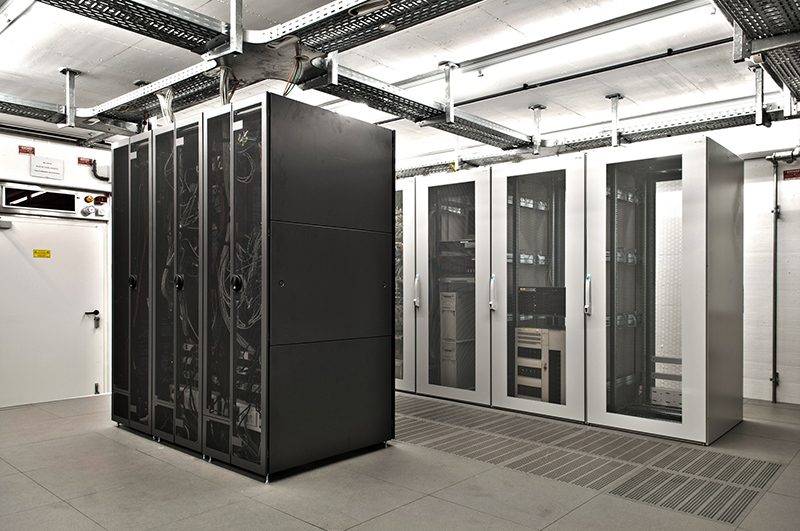
Maintaining optimal conditions in a server room is crucial for ensuring the performance and longevity of the servers housed within it. As the heart of any IT infrastructure, server rooms require precise control over their environment to prevent overheating, equipment failure, and costly downtime. This blog post will explore the key HVAC requirements for server room cooling in Somerville providing you with the essential information needed to maintain an efficient and reliable data center.
Importance of Proper HVAC in a Server Room
Servers generate a significant amount of heat during operation, and without adequate cooling, this heat can quickly lead to performance issues. High temperatures can cause servers to throttle their performance to prevent damage, leading to slower processing times and reduced efficiency. Consistent exposure to elevated temperatures can shorten the lifespan of critical components, leading to more frequent hardware replacements.
One of the most critical roles of an HVAC system in a server room is to prevent downtime. Overheated servers are more likely to experience failures, which can result in costly outages and data loss. By maintaining a stable temperature and humidity level, HVAC systems ensure that servers operate smoothly, reducing the risk of unexpected shutdowns and keeping your IT infrastructure running continuously.
Key HVAC Requirements for Server Rooms
Temperature Control
The American Society of Heating, Refrigeration and Air-Conditioning Engineers (ASHRAE) recommends a range of 64–81°F for data processing environments, and 64–72°F for high-density servers. Maintaining this range is crucial because temperatures outside these limits can lead to hardware malfunctions.
If the temperature is too high, servers can overheat and fail. If it’s too low, condensation can occur, leading to moisture-related issues. Therefore, precise temperature control is vital to ensure servers operate within safe parameters.
Humidity Control
Ideal humidity levels in a server room should be maintained between 40-50% relative humidity. Humidity that is too high can lead to condensation on electronic components, which can cause short circuits and corrosion. On the other hand, very low humidity can lead to static electricity build-up, which poses a significant risk to sensitive electronic equipment. Proper humidity control helps to protect against these risks, ensuring a stable environment for the servers.
Airflow and Ventilation
Proper airflow is essential to prevent hotspots within a server room. Inadequate ventilation can cause certain areas to become much hotter than others, leading to uneven cooling and potential overheating of servers located in those hotspots. Organizing servers in hot aisle/cold aisle configurations can optimize cooling and improve overall HVAC efficiency.
Best Practices for Maintaining HVAC Systems in Server Rooms
- Regular Maintenance: Scheduled inspections and servicing of HVAC systems are crucial to ensure they operate effectively and to help identify potential issues before they become significant problems.
- Monitoring Systems: Continuous monitoring of temperature and humidity levels in the server room is essential.
- Redundancy and Backup Systems: Having backup HVAC systems is vital to ensure continuous operation in case the primary system fails. Redundancy can include additional cooling units or alternative power sources, such as generators, to keep the HVAC system running during power outages.
By focusing on temperature control, humidity regulation, and proper airflow, and by adhering to best practices for HVAC maintenance and monitoring, you can prevent costly downtime and extend the life of your server equipment.
Frequently Asked Questions
Question: What temperature should a server room be maintained at?
Answer: Server rooms should be kept within a carefully controlled temperature range to protect sensitive equipment. Industry guidelines commonly recommend temperatures between 64°F and 81°F, with some high-density server environments requiring even tighter control. Maintaining consistent temperatures helps prevent overheating, performance issues, and unexpected hardware failures.
Question: Why is humidity control important in a server room HVAC system?
Answer: Humidity control helps protect servers and networking equipment from damage. Excessive humidity can cause condensation and corrosion, while low humidity increases the risk of static electricity. Maintaining balanced humidity levels creates a stable environment that supports reliable performance and extends the lifespan of critical IT infrastructure.
Question: Can a building’s standard HVAC system cool a server room effectively?
Answer: Most standard HVAC systems are not designed to handle the continuous cooling demands of server rooms. Because servers generate heat around the clock, dedicated cooling solutions are often needed to provide precise temperature control, proper airflow, and reliable operation that supports critical business systems.
Question: How does airflow management improve server room cooling?
Answer: Proper airflow management helps distribute cool air evenly and remove heat efficiently. Strategies such as hot aisle and cold aisle configurations can reduce hotspots, improve cooling performance, and lower energy consumption. Effective airflow design ensures servers receive consistent cooling and operate within safe temperature ranges.
Question: What maintenance practices help keep a server room HVAC system reliable?
Answer: Regular inspections, system servicing, filter changes, and continuous monitoring of temperature and humidity are essential for maintaining HVAC performance. Many organizations also implement backup cooling systems to reduce the risk of downtime. Proactive maintenance helps identify potential issues early and supports uninterrupted server operation.